

Blog
Send PHP Feedback as an HTML Email Table with SMTP

Send PHP Feedback as an HTML Email Table with SMTP
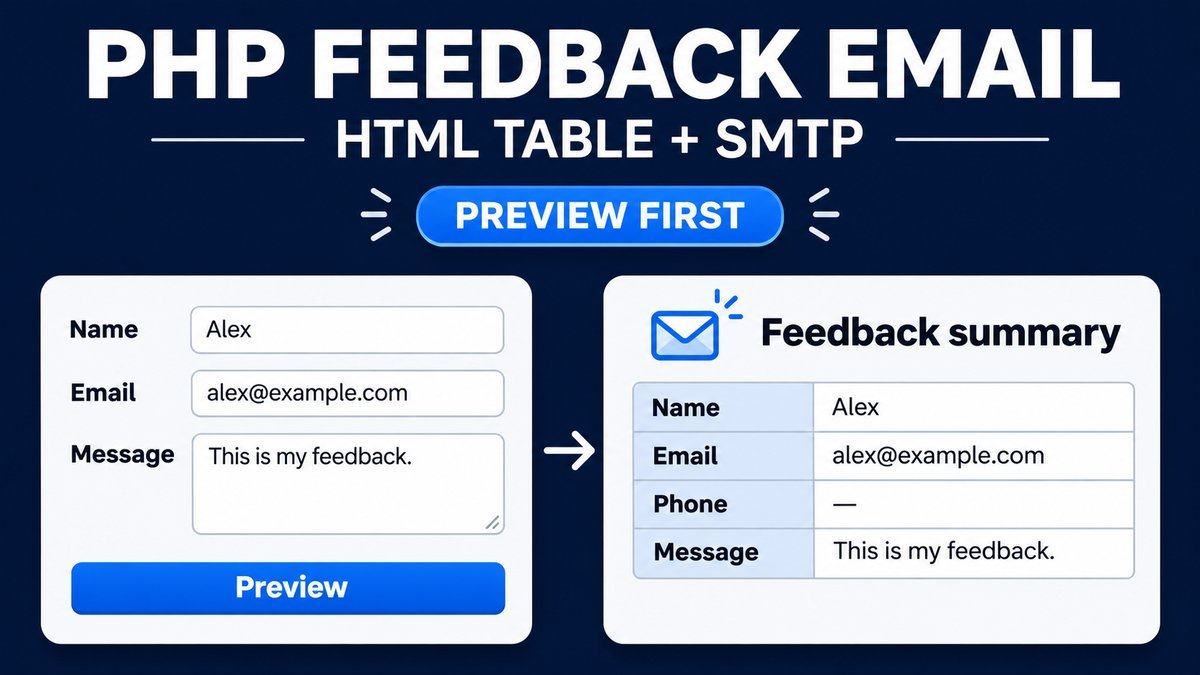
To send feedback as a table in PHP, validate the form fields, escape every value inserted into the HTML, and send an HTML body plus a plain-text alternative through a configured mail transport. Use a fixed recipient and a sender address you control; place the visitor’s validated address in Reply-To.
This tutorial includes a local browser preview and downloadable PHP code using PHPMailer SMTP. The live preview sends nothing. The PHP example also starts in preview mode; actual sending requires Composer dependencies and explicit server configuration.
Try the feedback email table preview
Feedback email table preview
This browser-only demo formats a preview locally. It does not send email, submit data to a server or save your entries. Use the sample values or your own test text.
JavaScript enables the preview button. The PHP source in the ZIP handles server validation and optional SMTP delivery separately.
Email body preview
| Name | Alex Example |
|---|---|
| alex@example.com | |
| Phone | +1 202 555 0100 |
| Message | I would like more information about your tutorials. |
Sample preview. Nothing has been sent.
Separate preview, transport and delivery
Formatting an email body does not send it. A mailer must hand that body to a configured transport, and acceptance by an SMTP server still does not prove arrival in the recipient’s inbox. Keep these stages clear in both code and user-facing messages.
The browser demo formats a local preview only. The downloadable PHP app renders the same kind of table on the server. Its sending path uses PHPMailer and remains disabled by default. No email is sent by the public demonstration.
1. Validate the submitted fields on the server
Client-side required fields and an email input help visitors correct mistakes, but they cannot enforce server rules. Accept only scalar strings, trim them, set length limits and validate the email address independently in PHP.
if (!is_string($_POST['email'] ?? null)) {
    throw new InvalidArgumentException('Invalid email field.');
}
$email = trim($_POST['email']);
if (preg_match('/[\r\n]/', $email) ||
    !filter_var($email, FILTER_VALIDATE_EMAIL)) {
    throw new InvalidArgumentException('Enter a valid email address.');
}
This abbreviated excerpt illustrates the rules; the complete helper checks the scalar type before using a value, handles all fields and applies explicit limits. It accepts an optional phone field with common punctuation instead of assuming every visitor has a ten-digit national number. Adapt those rules to your audience.
Name and email values used in address headers must not contain line breaks. The message body can contain line breaks, but it should have a reasonable maximum length. Reject malformed input rather than silently turning unexpected arrays into strings.
2. Escape values before inserting them into HTML
function escape_html(string $value): string {
    return htmlspecialchars(
        $value,
        ENT_QUOTES | ENT_SUBSTITUTE,
        'UTF-8'
    );
}
$safeMessage = nl2br(escape_html($message), false);
The PHP htmlspecialchars reference describes converting special characters to HTML entities. Escaping ensures text such as an angle bracket or quoted value is displayed as content instead of becoming email markup. Preserve line breaks only after escaping.
Validation and escaping solve different problems. A valid name can contain an ampersand or quote and still need HTML escaping. Do not strip every punctuation character merely to avoid encoding correctly, and do not treat escaped text as a validated email address.
3. Build a simple email table with inline styles
$html = '<table style="width:100%;max-width:640px;border-collapse:collapse;">';
$html .= '<caption>Feedback summary</caption><tbody>';
$html .= '<tr><th scope="row" style="border:1px solid #ccc;padding:12px;">Name</th>';
$html .= '<td style="border:1px solid #ccc;padding:12px;">'
       . escape_html($name) . '</td></tr>';
$html .= '</tbody></table>';
This table represents field/value data, so row headers and a caption help communicate its structure. The full source adds Email, Phone and Message rows. Keep the email design simple, use readable text and test long messages in the mail clients you support.
Inline styles make the example less dependent on an external stylesheet, but email clients can still render HTML differently. The browser preview demonstrates the body structure; it is not a guarantee of identical rendering in every inbox. Include a plain-text alternative as well.
4. Use PHPMailer for configured SMTP delivery
Install the server dependency through Composer in your own PHP project:
composer installThe ZIP includes a composer.json requirement for PHPMailer. The official PHPMailer project documents Composer installation, authenticated SMTP and HTML plus plain-text message bodies. Its generated vendor directory is not bundled into this source ZIP.
$mail = new PHPMailer\PHPMailer\PHPMailer(true);
$mail->isSMTP();
$mail->SMTPAuth = true;
$mail->Host = getenv('SMTP_HOST');
$mail->Username = getenv('SMTP_USER');
$mail->Password = getenv('SMTP_PASSWORD');
$mail->SMTPSecure = PHPMailer\PHPMailer\PHPMailer::ENCRYPTION_STARTTLS;
$mail->Port = 587;
$mail->CharSet = 'UTF-8';
$mail->setFrom(getenv('SMTP_FROM'), 'Website feedback');
$mail->addAddress(getenv('FEEDBACK_TO'));
$mail->addReplyTo($data['email'], $data['name']);
$mail->isHTML(true);
$mail->Subject = 'New website feedback';
$mail->Body = email_body($data);
$mail->AltBody = email_text($data);
$mail->send();
This is the transport configuration excerpt. The complete code checks whether delivery is enabled, verifies required configuration, loads Composer’s autoloader and handles exceptions. It supports STARTTLS or implicit TLS using the provider’s documented settings and retains normal certificate verification.
Use a sender address that belongs to your domain or is authorized by your mail provider. Keep the recipient fixed in server configuration so the form cannot become an arbitrary email relay. The visitor’s validated address belongs in Reply-To, allowing the site owner to respond without impersonating the visitor as the sender.
5. Keep credentials in server configuration
The source includes a documentation-only server.env.example. Set the actual values through your server’s environment or secret configuration; that example file is not automatically loaded. Keep passwords out of public HTML, JavaScript, screenshots, repositories and downloadable copies.
FEEDBACK_SEND_ENABLED=false
SMTP_HOST=smtp.example.com
SMTP_USER=your-smtp-user
SMTP_PASSWORD=your-smtp-password
SMTP_SECURITY=tls
SMTP_PORT=587
SMTP_FROM=website@example.com
FEEDBACK_TO=owner@example.com
Preview mode needs no SMTP credentials or Composer dependency. After installing dependencies and configuring your provider, deliberately enable delivery on your own deployment. Check domain authentication settings such as SPF, DKIM and DMARC with that provider. Do not use the documentation placeholders as real destinations.
6. Protect the form and avoid duplicate submissions
The PHP app uses a session CSRF token, rotates it after a valid submission and applies a short per-session guard to delivery attempts. It limits the accepted request and field sizes. These are teaching controls, not a complete public anti-spam system.
Before deploying a public sending form, add suitable server-side rate limiting and abuse controls, establish a privacy and retention policy, and monitor failures without logging message bodies or secrets. Keep sensitive submissions out of public demo tests. A session-only delay does not stop attackers who create new sessions.
7. Report results accurately
Preview mode says no email was sent. The sending path reports SMTP acceptance only after the mailer succeeds. Failures show a configuration error rather than a success alert, and detailed SMTP transcripts are not exposed to visitors.
The PHP mail reference also distinguishes acceptance for delivery from actual arrival. Replacing the transport with mail() does not make delivery guaranteed, and it requires an appropriate mail setup. This tutorial uses authenticated SMTP for its configurable sending path.
Run the browser and PHP examples
Open index.html for the browser-only preview. It uses textContent to show entries as literal text and performs no network submission or storage. This is the same type of preview embedded in the article.
For server rendering, use PHP 8.1 or later and run the project with a PHP web server, then open index.php. Generate PHP preview validates the fields and renders the email body without sending. Actual delivery requires Composer installation, valid SMTP configuration and explicit enablement.
PHP code cannot execute inside ordinary WordPress post content. Deploy the backend as an appropriate server application or integrate it through a maintained plugin. Do not upload runnable PHP through the WordPress media library. Test a configured sending installation with a mailbox you control before exposing it publicly.
Common feedback email problems
- The email shows literal HTML tags: use an HTML body and appropriate MIME handling, not just an HTML-looking string in a plain-text message.
- Visitor text changes the table: escape every inserted field before adding markup.
- The form says success during a failure: report the result returned by the transport, not a hard-coded alert.
- Messages fail authentication: use an authorized fixed sender and follow your provider’s domain settings.
- Preview works but sending fails: check Composer dependencies, SMTP settings, server access and provider policy separately.
Frequently asked questions
Does the live demo send my feedback?
No. It renders a local browser preview only. Nothing is submitted to a mail server or saved by the demo.
Can I send the visitor’s address as From?
Use an authorized sender address you control. Put the validated visitor address in Reply-To instead.
Does a successful send guarantee inbox delivery?
No. SMTP acceptance is one stage. Filtering, recipient policies and delivery failures can still affect the final outcome.
Is PHPMailer included in the ZIP?
The ZIP includes its Composer requirement and integration code. Install the dependency with Composer for SMTP delivery; browser and PHP preview modes work without it.
Related tutorials
Explore a responsive call-to-action section or custom file input styling for related form interface work.