

Blog
Redirect to a Page Based on a Select Option Using JavaScript

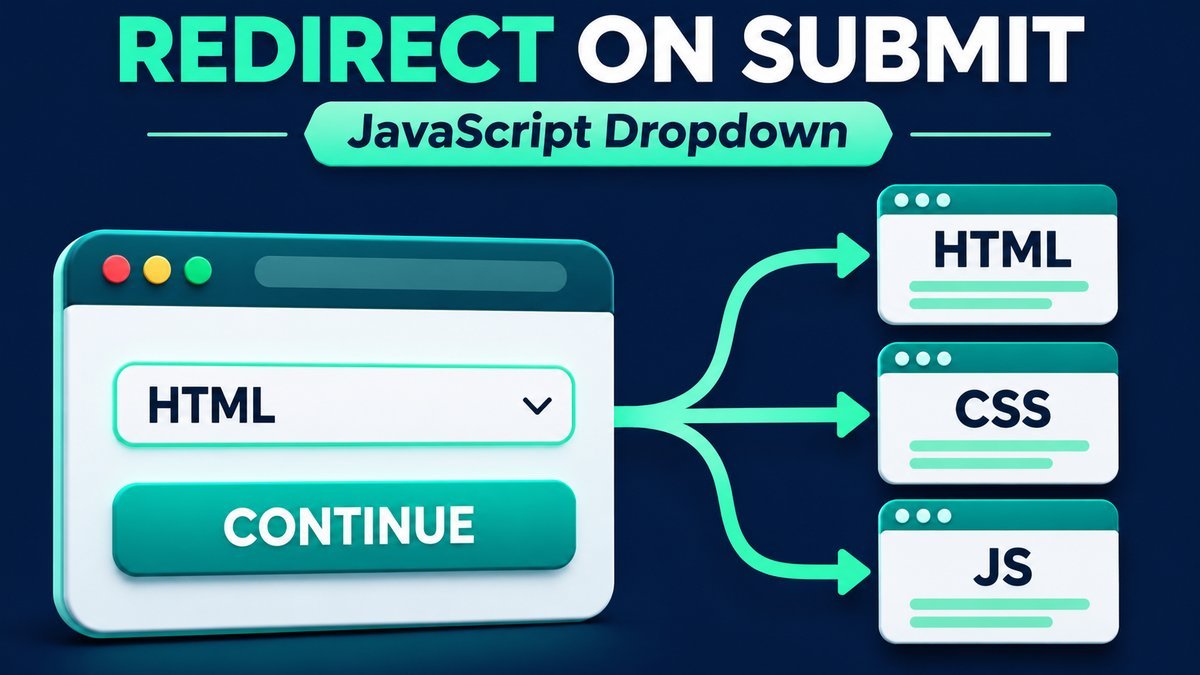
To redirect a page based on a selected option after form submission, listen for the form’s submit event, prevent its default submission, map the selected value to an approved destination, and call window.location.assign(). Use a fixed route map rather than treating arbitrary form values as URLs.
This tutorial includes a live preview mode, working navigation to SanWebCorner tutorial categories, and a downloadable HTML/CSS/JavaScript project with three local destination pages. The dropdown changes the selection; navigation happens only when the visitor chooses to continue.
Live demo: select a destination and submit
Choose a topic and press Continue. Preview only is enabled initially so you can inspect the result without leaving this article. Uncheck it to navigate in this tab. The direct-link section also works when JavaScript is unavailable.
Choose a page, then submit
Preview mode stays on this page. Turn it off to navigate to the selected tutorial page in this tab.
No destination selected.
Choose a topic to preview its destination.
This demo collects no personal information and sends no form data or email. Changing the dropdown alone does not navigate.
Direct topic links (also work without JavaScript)
How the redirect flow works
- The visitor chooses a short key such as
htmlorcss. - The form’s required selection is checked by the browser.
- A submit handler cancels normal form submission with
preventDefault(). - The handler looks up the key in a fixed map of destinations.
- Preview mode displays the result; navigation mode loads the approved page with
location.assign().
Changing a dropdown alone should not unexpectedly move the visitor to another page. A separate Continue button makes the navigation action explicit.
1. Add a required select box to the form
<form id="destination-form">
  <label for="destination">Tutorial destination</label>
  <select id="destination" required>
    <option value="">Choose a topic</option>
    <option value="html">HTML tutorials</option>
    <option value="css">CSS tutorials</option>
  </select>
  <button type="submit">Continue</button>
</form>
The empty first option gives required a missing selection to detect. The option values are route keys, not URLs. Use labels and a real submit button so the form’s behavior is clear to keyboard and assistive-technology users.
2. Handle submit and look up the destination
const form = document.querySelector('#destination-form');
const select = document.querySelector('#destination');
const routes = Object.freeze({
  html: '/tag/html/',
  css: '/tag/css/'
});

form.addEventListener('submit', event => {
  event.preventDefault();
  const key = select.value;
  if (!Object.prototype.hasOwnProperty.call(routes, key)) return;
  window.location.assign(routes[key]);
});
This minimal snippet matches the two-option markup above. The complete ZIP adds JavaScript as a third choice, destination preview, status messages, Reset, and local sample pages. It has no jQuery dependency.
MDN’s form submit-event reference explains that the event belongs to the form. Browser constraint validation can prevent a submission before this handler runs. Attach the behavior to the form rather than only to a button click.
3. Choose assign or replace deliberately
| Method | Navigation behavior |
|---|---|
location.assign(url) |
Loads the destination with the current page retained in session history. |
location.replace(url) |
Replaces the current history entry. |
This example uses assign() so normal Back navigation can return to the selector. MDN’s Location.assign reference describes its behavior. Navigating with JavaScript is a client-side action; it does not create a permanent HTTP 301 redirect or change the article’s canonical URL.
4. Preview the destination before navigating
The full controller builds a URL from its fixed route map and displays it as text. When Preview only is checked, Continue reports the intended page without calling location.assign(). The Open selected page directly link always performs real navigation, regardless of preview mode.
const url = new URL(routes[key], window.location.href);
if (preview.checked) {
  status.textContent = 'Preview: this form would navigate to the selected topic.';
  return;
}
window.location.assign(url.href);
These lines are an excerpt from the full submit handler. The published demo uses the site’s tag archives. The offline package uses pages/html.html, pages/css.html and pages/javascript.html so the complete flow works locally.
Keep redirect destinations in a fixed map
Do not take a free-form URL from a query string, hidden field or visitor input and navigate to it blindly. A small route key mapped to a developer-approved destination is easier to review. The own-property check rejects keys that are not explicitly defined in the map.
OWASP’s unvalidated redirects guidance describes the risks of untrusted destinations and recommends validating approved targets. If you add a server redirect endpoint, keep and enforce the destination map on the server as well. Client-side checks do not protect a server endpoint or grant access to a restricted page.
Redirecting does not submit data or send email
This demo contains no name, email, phone or bank fields. Its submit handler prevents normal submission, and navigation does not send form values to an email inbox. It is a navigation demonstration, not a payment, contact or registration form.
If you need to save an enquiry or send an email first, submit to a validated backend, handle failure, and navigate only after the backend confirms success. A server can use a POST/Redirect/GET flow and return an HTTP 303 to a server-approved destination. Keep credentials, mail configuration, input validation, abuse controls and delivery handling on that backend. This ZIP does not include an email service.
Programmatic submission and validation
For an action that should behave like pressing the submit button, use form.requestSubmit(). Calling form.submit() bypasses the usual submit-event and constraint-validation flow. Avoid calling it when you depend on this handler.
The complete demo listens for invalid selection events to show a status message. Reset clears the topic, restores preview mode, hides the direct destination link and focuses the dropdown. Its form controls remain disabled until initialization; direct fallback links remain available.
Download and run the complete project
Extract the ZIP and open index.html in a current browser. Choose a topic, disable Preview only, and press Continue to reach a bundled sample page. Each destination has a link back to the selector. No build step, server, account, API key, library or CDN is required.
select-redirect-demo/
├── index.html
├── style.css
├── script.js
├── README.md
└── pages/
    ├── html.html
    ├── css.html
    └── javascript.html
To adapt the destination list, update the fixed routes map, select keys, labels and fallback links together. The local destination pages demonstrate routing; they are not complete courses. The component sends no personal information and creates no persistent storage, though real HTTP navigation makes the usual page request.
Common redirect problems
| Problem | Fix |
|---|---|
| Nothing happens on an empty choice | The required field is blocking submission. Choose a valid topic. |
| The form reloads instead of redirecting | Check that the handler is attached after the form exists and calls preventDefault. |
| Changing the dropdown immediately redirects | Move navigation from the change handler to the submit handler. |
| A relative route opens the wrong page | Use a root-relative path for a site-wide destination, or the correct local path for the ZIP. |
| Preview does not leave the article | This is intentional; uncheck Preview only to test navigation. |
| No email arrives | A client-side redirect is not an email submission. Add a separate backend if needed. |
Frequently asked questions
Can I redirect based on a select option without jQuery?
Yes. Native JavaScript can read select.value, handle the submit event and call location.assign.
Should I put URLs directly in option values?
A fixed map of short keys to approved URLs makes allowed destinations explicit. Do not accept arbitrary visitor-supplied URLs.
Does preventDefault stop validation?
No. Native validation can stop submission before the submit event occurs. preventDefault in the handler cancels the event’s default form submission.
Will the browser Back button still work?
The demo uses assign so the previous page stays in session history. The exact restored form state can vary by browser.
Can I redirect after saving a contact form?
Yes, but wait for the backend to confirm the save or accepted submission. Do not navigate first and assume the data was delivered.
Does this create an SEO redirect?
No. It is visitor-driven JavaScript navigation, not a permanent HTTP redirect for an old URL.
Test the selection and navigation flow
Try a blank choice, each topic, preview mode, actual navigation, Reset and the direct links. Inspect the downloadable code before adapting its fixed destinations to your own site.