

Blog
Populate a Dropdown Based on Another Dropdown with jQuery

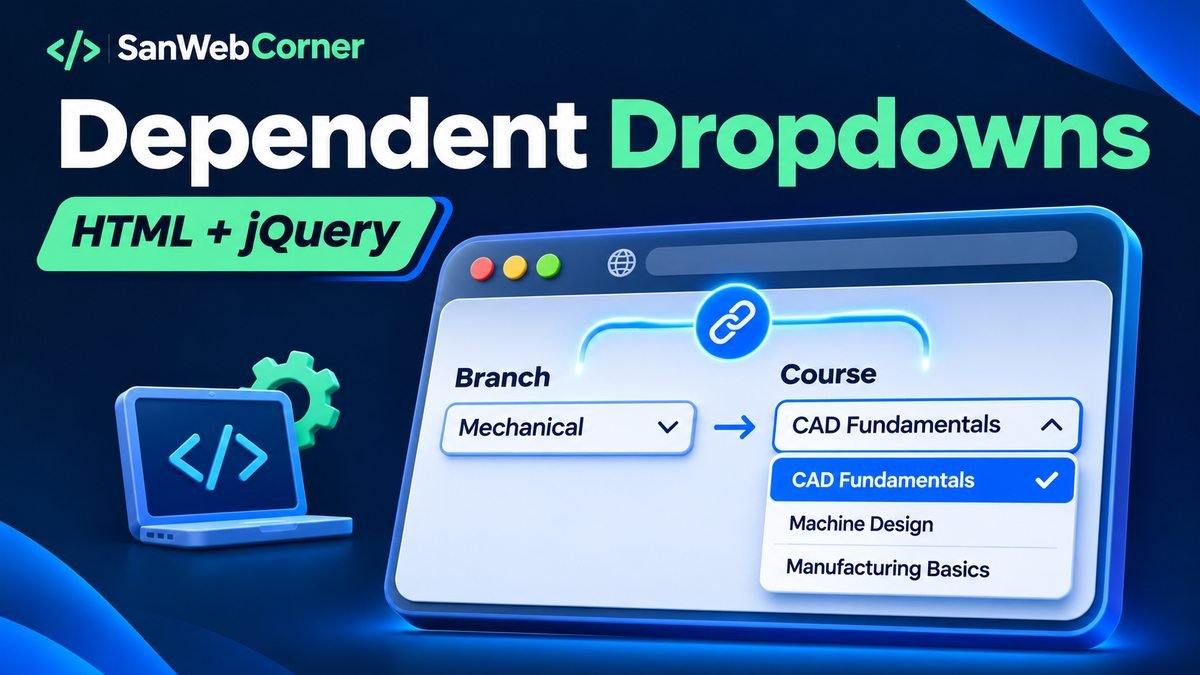
To populate an HTML dropdown based on another dropdown with jQuery, handle the parent select’s change event, clear the child select, and add only the options that belong to the selected parent. Keep the child disabled until a parent with available options is chosen.
This tutorial builds a dependent branch-and-course dropdown without a database or AJAX request. The demo includes placeholders, empty-state handling, selection validation, reset controls, and a complete downloadable project.
What is a dependent dropdown?
A dependent dropdown, also called a cascading select, changes its available choices when another control changes. For example, a branch selection can determine the course list, a country can determine regions, or a product category can determine models.
| Parent state | Child behavior |
|---|---|
| No branch selected | Clear the course and keep it disabled. |
| Branch has courses | Load matching courses and require an explicit choice. |
| Branch has no courses | Show an empty-state message and keep the child disabled. |
| Branch changes after a course was chosen | Discard the old course and rebuild the list. |
Live demo: populate a course dropdown from a branch
Select a branch, choose a course, then change the branch to see the old selection clear. The sample categories and course names are illustrative; they are not an official curriculum or availability listing.
Choose a branch, then a course
The course list depends on the branch. Changing the branch clears the previous course so an unrelated selection cannot remain.
Loading. JavaScript and jQuery are required.
Ready. Nothing has been submitted.
Enable JavaScript and jQuery to use this local demo. There is no submission endpoint.
1. Add two labeled HTML select elements
Use stable IDs for scripting and names for a future form submission. Start with a blank-value placeholder and disable the child select until it has useful choices.
<label for="branch">Branch</label>
<select id="branch" name="branch" required>
  <option value="">Choose a branch</option>
  <option value="mechanical">Mechanical</option>
  <option value="civil">Civil</option>
</select>

<label for="course">Course</label>
<select id="course" name="course" required disabled>
  <option value="">Choose a branch first</option>
</select>
A blank placeholder lets you distinguish a deliberate selection from an unselected form. The complete demo also provides associated hints, a live status, and visible validation feedback.
2. Store the parent-to-child relationship as data
Keep labels separate from IDs. Labels can change for display or translation while stable IDs identify the parent and child choices.
const coursesByBranch = {
  mechanical: [
    { id: 'mech-cad', label: 'CAD Fundamentals' },
    { id: 'mech-manufacturing', label: 'Manufacturing Processes' }
  ],
  civil: [
    { id: 'civil-surveying', label: 'Surveying Fundamentals' }
  ]
};
The ZIP uses an array of branch objects with nested course lists, so it can also store each branch’s label and an intentionally empty category. Both structures express the same relationship.
3. Handle the parent change event with jQuery
Read the current parent value, empty the child, and add the matching options. The following compact example works with the markup and data above:
const $branch = jQuery('#branch');
const $course = jQuery('#course');

function populateCourses() {
  const items = coursesByBranch[$branch.val()] || [];
  $course.empty().append(new Option(
    items.length ? 'Choose a course' : 'No courses available', ''
  ));
  items.forEach(function (item) {
    $course.append(new Option(item.label, item.id));
  });
  $course.val('').prop('disabled', items.length === 0);
}

$branch.on('change', populateCourses);
populateCourses();
The jQuery .on() reference covers event binding, while .prop() sets the select’s disabled state. The complete demo distinguishes the initial placeholder from an empty category and announces the available course count.
4. Clear stale values and create options as text
Always clear the old child selection before loading a new parent’s options. Otherwise the form may show a course that does not belong to the newly selected branch. Clear related review or validation results at the same time.
Use new Option(label, value) to create option nodes rather than concatenating data into an HTML string. MDN’s Option() constructor reference documents the label, value, and selection arguments.
For programmatic preselection, populate the child before selecting its value:
// Example for the complete demo's sample-selection button.
jQuery('#swcdd-branch').val('it').trigger('change');
jQuery('#swcdd-course').val('it-web').trigger('change');
The jQuery .val() documentation notes that setting a value does not automatically fire the change event. Explicitly run the population logic or trigger the event when setting a parent from code.
5. Validate the relationship before submission
A non-empty course value alone is not sufficient. Look up the current branch, then check that its course list contains the selected course ID. In the live demo, Validate selection performs this membership check locally and sends no request.
A real backend must independently validate both IDs and their relationship. Frontend code can be bypassed. Also remember that disabled controls are omitted from normal form submission, so an unpopulated child will not provide a course value.
How to adapt this for AJAX or a database
For a small fixed list, keeping the data in JavaScript is simple and works offline. For a large or frequently changing catalog, request the child options from a server using the selected parent ID.
While loading, clear and disable the child. Handle an empty response and network errors explicitly. Cancel the previous request or track request order so a slow response for an older parent cannot overwrite the newest selection. The response should supply IDs and display labels; the server should still validate the final submitted pair.
No server endpoint or database is included in this download. It demonstrates the local data flow you can later replace with a request.
Download and run the complete dependent dropdown demo
Extract the ZIP and open index.html in a modern browser. jQuery and its license are bundled, so the standalone project needs no network connection or build step.
dependent-dropdown-demo/
├── index.html
├── style.css
├── script.js
├── README.md
└── vendor/
    ├── jquery-3.7.1.min.js
    └── LICENSE-jquery.txt
The project pins jQuery 3.7.1 to match this site’s loaded WordPress version. For WordPress integration, enqueue the script with the existing jquery dependency rather than loading a second copy. Keep selectors scoped to the demo container so unrelated select controls are not changed.
Common dependent dropdown problems
| Problem | Fix |
|---|---|
| Old options remain after a parent change | Empty the child before adding new options. |
| A previous course stays selected | Reset the child to its blank placeholder and clear related summaries. |
| Options appear but cannot be selected | Remove the disabled state when valid options are available. |
| Setting the parent with code does not update the child | Call the population function or trigger change explicitly. |
| An empty category looks like a loading error | Show a distinct no-results message. |
| Rapid AJAX changes show the wrong list | Ignore stale responses or cancel earlier requests. |
Frequently asked questions
Can I populate a dropdown without a database?
Yes. Store the parent-to-child relationship in a JavaScript object or array and populate the child on change. This demo uses local data.
Why should the child dropdown start disabled?
It has no valid choices until a parent is selected. Disabling it prevents a misleading selection and makes the sequence clear.
Can I add a third dependent dropdown?
Yes. Populate it from the second selection, and clear both downstream selections whenever an upstream value changes.
Can this work with native JavaScript?
Yes. Use a change event listener, read the select’s value, and append option nodes. jQuery is used here to match the original tutorial.
Does the demo send or save the selected course?
No. It updates the options and validates the pair in page memory only. It does not create a registration.
What happens if a branch has no courses?
The course select remains disabled with a no-courses message. Choose the sample New branch option to test that state.
Test the complete parent-and-child flow
Try every branch, switch parents after choosing a course, select the empty category, validate incomplete and complete pairs, then reset. Download the source to adapt the same pattern to your own related data.