
Blog

How to Build a Slide-Out Quick Enquiry Form with HTML, CSS, and JavaScript
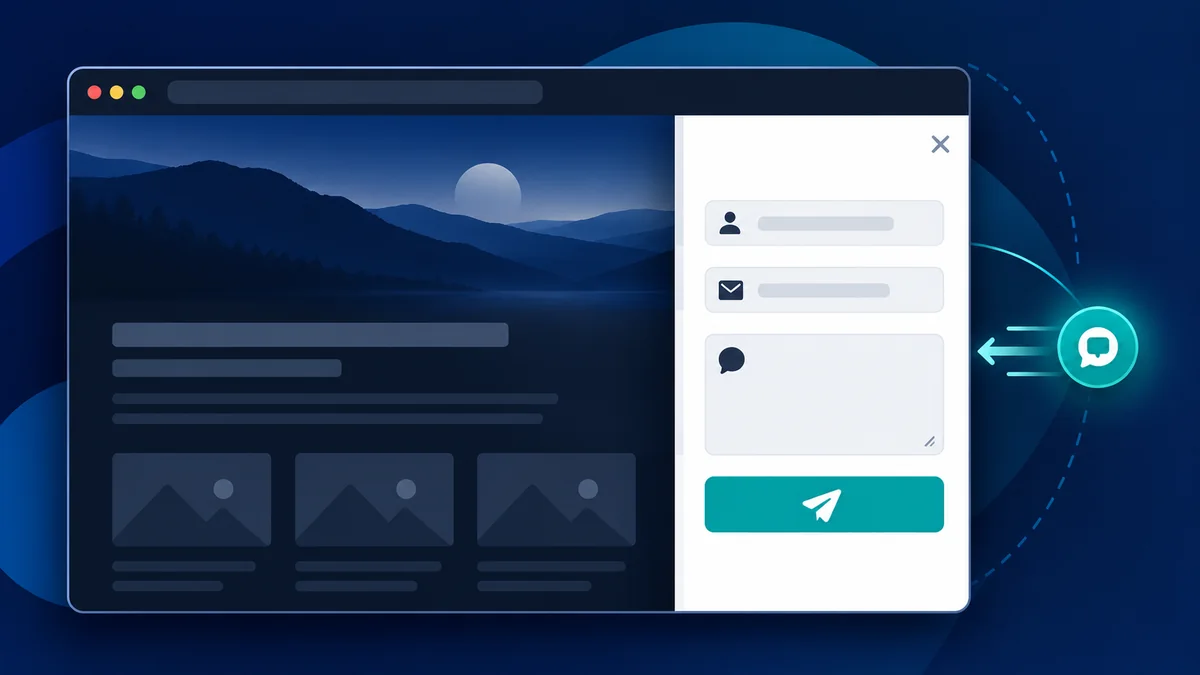
A slide-out enquiry form gives visitors a clear way to contact you without keeping a large form open on the page. This tutorial builds a responsive panel with semantic HTML, CSS transitions, and plain JavaScript. It includes keyboard support and basic browser validation, with no jQuery or framework required.
Quick answer: Create an accessible dialog and labelled form in HTML, position it off-screen with CSS, then use JavaScript to open and close it, manage keyboard focus, and validate the sample fields.
What you will build
The demo has a compact call to action and a panel that slides in from the side. Visitors can open it, enter a name, email address, and message, then close it using the close button, backdrop, or Escape key. When opened, focus moves into the panel and returns to the opener when closed.
Demo note: This example validates entries in the browser and shows a local confirmation. It does not send or store visitor information. Connect a backend or form service before collecting real enquiries.
1. Add the enquiry form HTML
Use a real button to open the panel, a dialog region with an accessible name, and visible labels connected to each form field. The complete working markup is in the downloadable index.html file. The interactive example below is embedded separately so you can try it without leaving this page.
2. Style the panel with CSS
The stylesheet places the panel just outside the viewport and animates it into view when the open class is applied. A backdrop helps separate the dialog from the page. A mobile breakpoint makes the panel fit smaller screens, and a reduced-motion rule respects visitors who ask for less animation. See styles.css in the ZIP for the full responsive styles.
3. Add JavaScript interactions
Plain JavaScript handles opening and closing, the Escape key, focus movement, and a status message after valid demo submission. The form uses native browser validation, including a valid email format and a minimum message length. The complete script is in script.js; no external JavaScript library is needed.
Connect the form to a real endpoint
The demo intentionally does not transmit form data. To receive enquiries, connect the form to your server or a reputable form provider. Validate submitted fields on the server and add suitable spam protection. Client-side validation is useful for visitors, but it is not a security boundary.
Accessibility and responsive checks
- Try opening and closing the panel with a keyboard.
- Confirm Escape closes the dialog and focus returns to the opener.
- Check visible labels, focus outlines, and text contrast.
- Test at a narrow viewport and with reduced motion enabled.
- Use a status message to announce the demo confirmation.
Troubleshooting
The panel appears before I click
Check that the panel starts hidden and that the stylesheet loads correctly.
The close button does nothing
Confirm the close control has the expected data attribute and that the JavaScript runs after the demo markup.
The demo says the form is invalid
Enter a valid email address and a message with at least ten characters. The local confirmation resets when you reload the page.
Frequently asked questions
Does this form send an email?
No. The demo only validates the sample fields in your browser and displays a local confirmation. Add a server endpoint or form service to deliver enquiries.
Does it require jQuery?
No. The downloadable version uses standard HTML, CSS, and JavaScript.
Will it work on mobile?
Yes. The CSS adapts the panel to smaller screens and lets visitors scroll through the form.
How do I prevent spam?
Use server-side validation and an appropriate spam-control method when you connect a real submission endpoint. Browser-only checks cannot protect a server.
Conclusion
A slide-out enquiry form keeps contact easy to find while leaving the page content visible. Try the interactive demo, download the complete source package, and connect a trusted submission endpoint if you plan to accept real enquiries.
A good project
starts with a hello.
Try the accessible enquiry panel built with HTML, CSS, and JavaScript.
<button type="button" data-open-enquiry aria-controls="enquiry-panel">Open enquiry form</button>
<div class="scrim" data-close-enquiry hidden></div>
<aside class="enquiry-panel" id="enquiry-panel" role="dialog" aria-modal="true" aria-labelledby="form-title" hidden>
  <button type="button" class="close-button" data-close-enquiry aria-label="Close enquiry form">×</button>
  <h2 id="form-title">Tell us about your project</h2>
  <form id="enquiry-form">
    <label for="visitor-name">Your name</label>
    <input id="visitor-name" name="name" autocomplete="name" required minlength="2">
    <label for="visitor-email">Email address</label>
    <input id="visitor-email" name="email" type="email" autocomplete="email" required>
    <label for="visitor-message">Message</label>
    <textarea id="visitor-message" name="message" required minlength="10"></textarea>
    <button type="submit">Send enquiry</button>
    <p id="form-status" role="status" aria-live="polite"></p>
  </form>
</aside>.scrim {
position: fixed;
inset: 0;
z-index: 10;
background: rgb(13 29 40 / 50%);
opacity: 0;
transition: opacity 250ms ease;
}
.scrim.is-visible { opacity: 1; }
.enquiry-panel {
position: fixed;
inset: 0 0 0 auto;
z-index: 11;
width: min(460px, 100%);
padding: 58px 32px 32px;
overflow: auto;
background: #fff;
box-shadow: -14px 0 50px rgb(18 41 51 / 16%);
transform: translateX(102%);
transition: transform 320ms ease;
}
.enquiry-panel.is-open { transform: translateX(0); }
.enquiry-panel form { display: grid; gap: 10px; }
.enquiry-panel input,
.enquiry-panel textarea {
width: 100%;
padding: 12px;
border: 1px solid #d4e0df;
border-radius: 4px;
}
.enquiry-panel :focus-visible,
button:focus-visible {
outline: 3px solid #087f83;
outline-offset: 3px;
}
@media (max-width: 600px) {
.enquiry-panel { width: 100%; }
}
@media (prefers-reduced-motion: reduce) {
.scrim, .enquiry-panel { transition-duration: 0.01ms; }
}const panel = document.querySelector('#enquiry-panel');
const scrim = document.querySelector('.scrim');
const form = document.querySelector('#enquiry-form');
let lastFocused = null;
function openPanel() {
lastFocused = document.activeElement;
panel.hidden = false;
scrim.hidden = false;
requestAnimationFrame(() => {
panel.classList.add('is-open');
scrim.classList.add('is-visible');
panel.querySelector('#visitor-name').focus();
});
}
function closePanel() {
panel.classList.remove('is-open');
scrim.classList.remove('is-visible');
window.setTimeout(() => {
panel.hidden = true;
scrim.hidden = true;
lastFocused?.focus();
}, 330);
}
document.querySelectorAll('[data-open-enquiry]')
.forEach((button) => button.addEventListener('click', openPanel));
document.querySelectorAll('[data-close-enquiry]')
.forEach((button) => button.addEventListener('click', closePanel));
document.addEventListener('keydown', (event) => {
if (!panel.hidden && event.key === 'Escape') closePanel();
});
form.addEventListener('submit', (event) => {
event.preventDefault();
if (!form.reportValidity()) return;
document.querySelector('#form-status').textContent =
'Thanks! This demo does not send or store your details.';
form.reset();
});