

Blog


Today i am going to tell you how to create custom shape image with the help of Photoshop tool. This one of the simple method to create custom type images. To follow below steps and download the Photoshop file and practice it. Using this method we should create various shapes of images. In this i provide the step by step screenshot to better understanding. Check out the below steps.
Step1: File->New set width and height
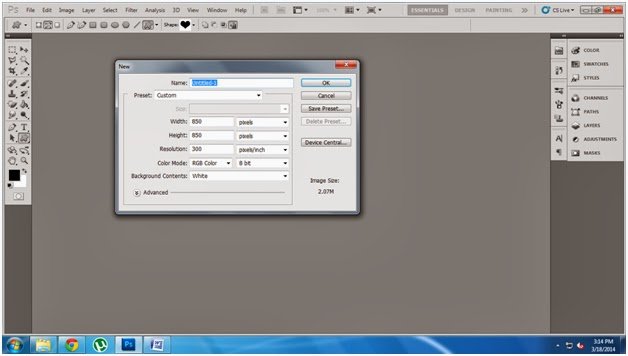
Step:2 Go to Custom shape tool and select the shape which one you want
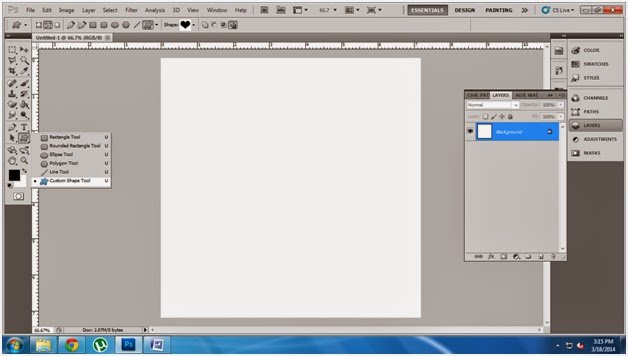
Step3:Choose the shape
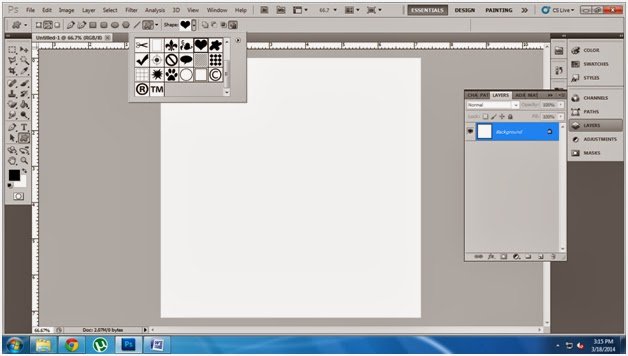
Step:4 Draw the shape
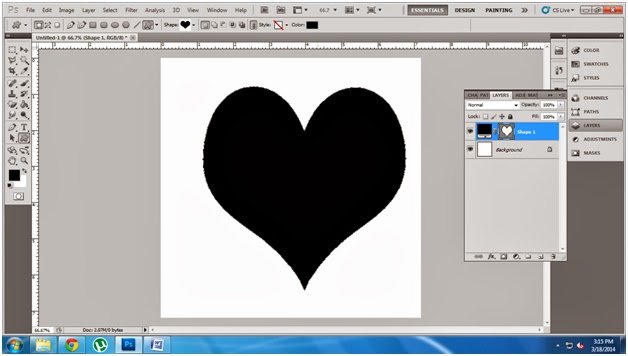
Step5: Go to file place the image which one you want
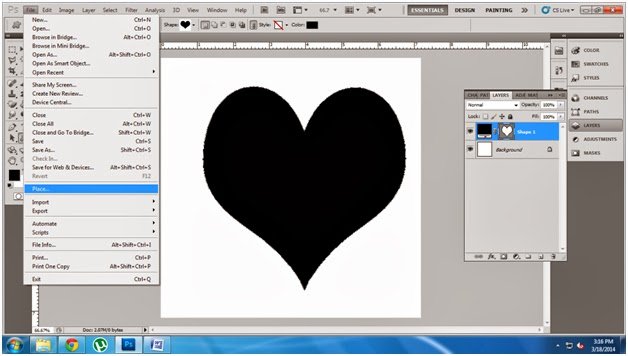
Step:6: Adjust the image to cover the shape
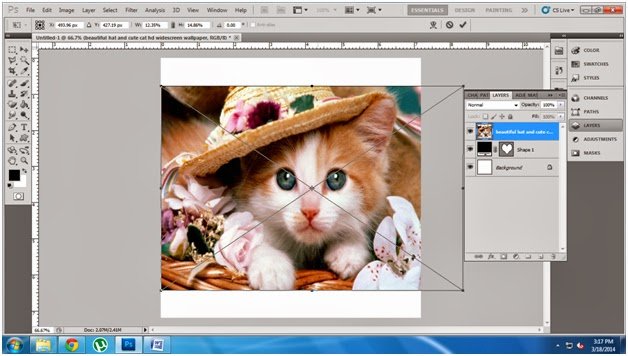
Step7 : Drag the shape layer to image layer
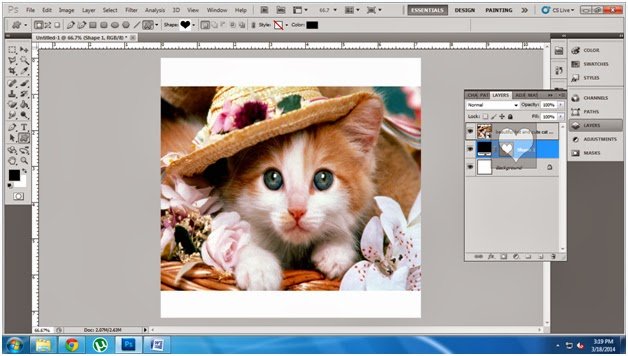
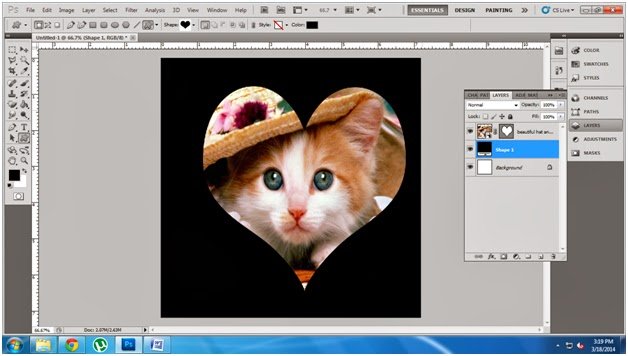
Step8: Now see the result , You select the different types
of shape create different types of images .
of shape create different types of images .
All the Best …