
3D Pop out effect is very simple and easy to create with the help of photoshop cs5, It is one of the interesting to learn , Just follow my easy steps and create your own 3d effects with your photos. Try this simple project if there any doubt in this just raise the questions.

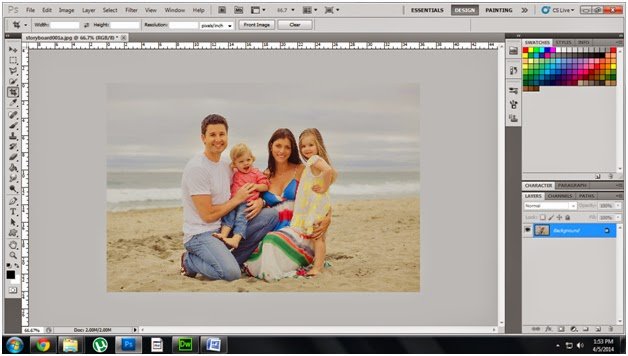
Step1: Go to File -> open -> select any image below diagram.
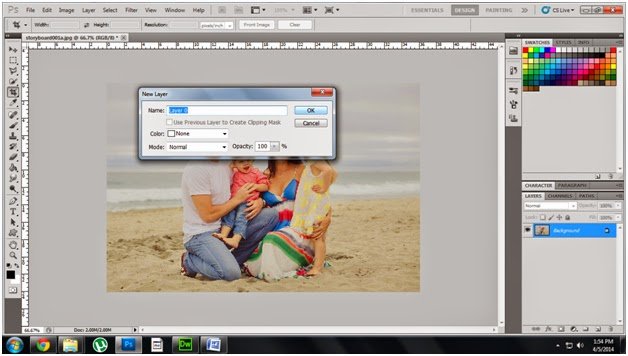
Step2: Double Click background layer make it as a layer
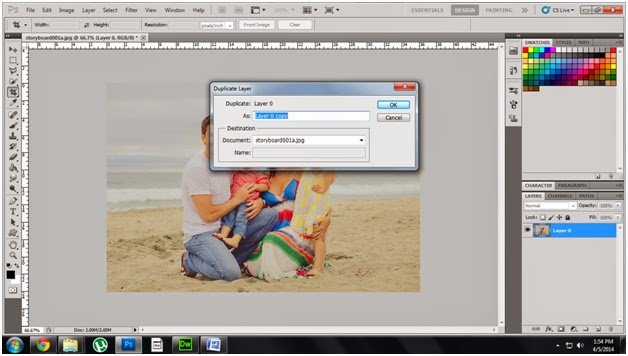
Step3: Make a Duplicate
copy of this layer , Name it as a ground
copy of this layer , Name it as a ground
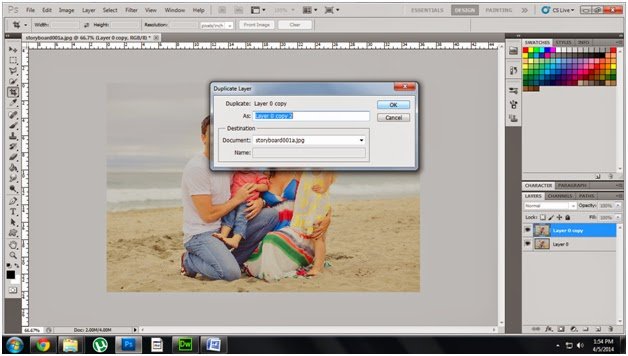
Step4: Make another duplicate copy and give name as a pop
out
out
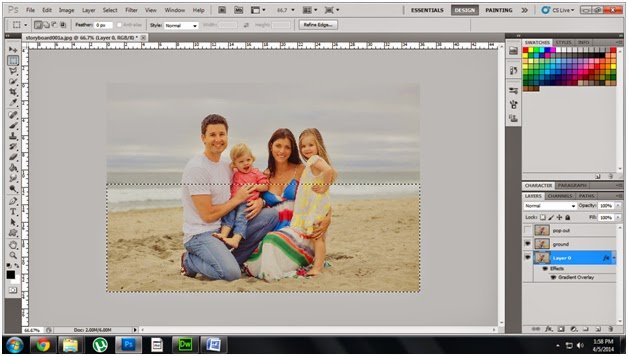
Step5: Select layer 0, select gradient tool make gradient
background, and then Using Select tool select the image like below diagram
background, and then Using Select tool select the image like below diagram
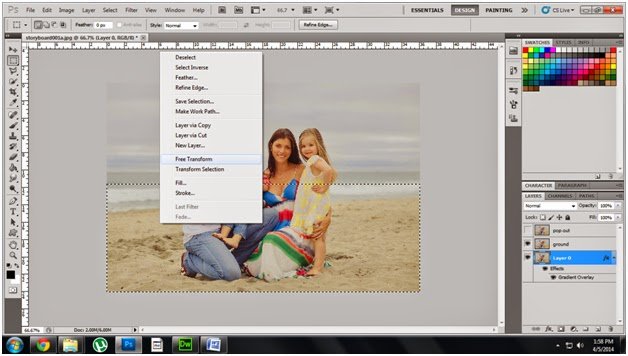
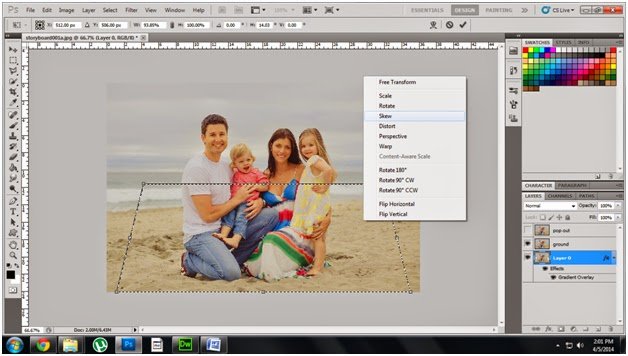
Step6: Right click select free transform
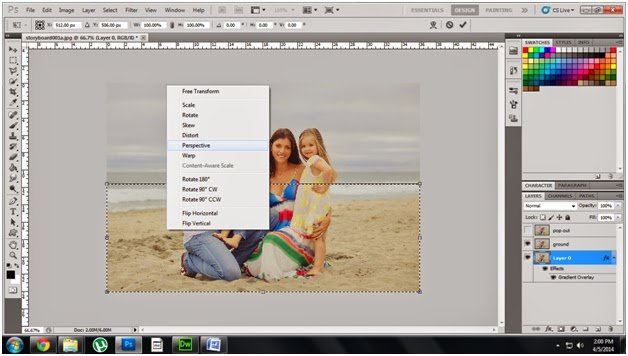
Step7: Right click again select perspective
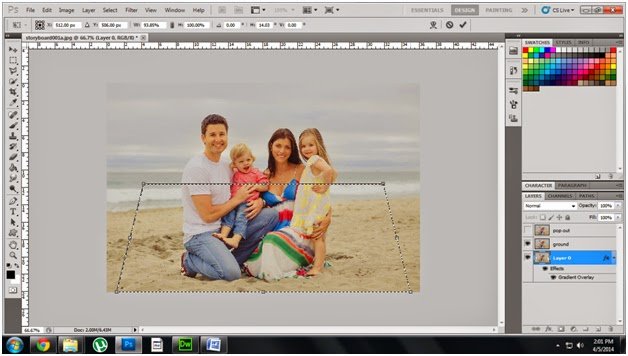
Step 8 : Pressing corner drag the selection like below
diagram
diagram
Step 9 : Select skew adjust the selection area like below
diagram
diagram
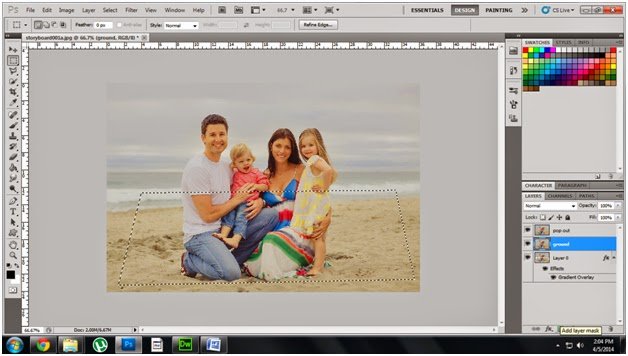
Step 10 : Select the ground and click layer mask
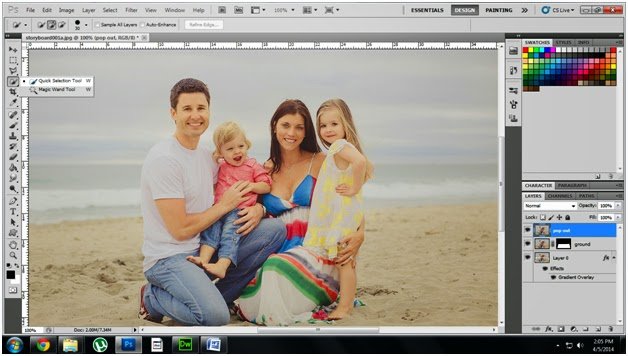
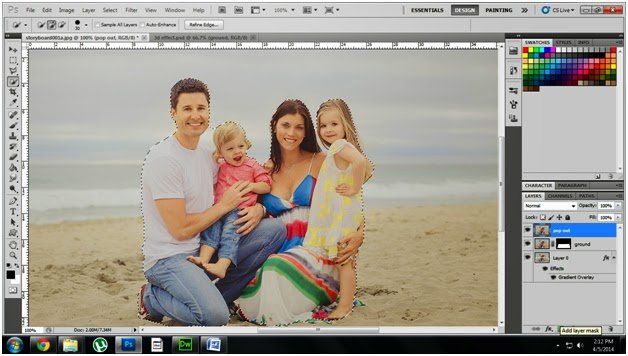
Step 11 : Select the popout layer choose the quick selection
tool select the image.
tool select the image.
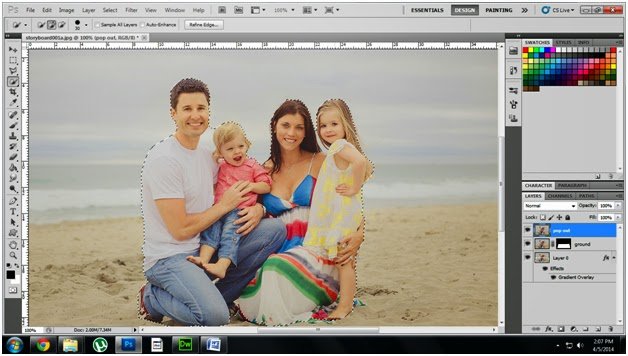
Step12 : Select the diagram like
below diagram
below diagram
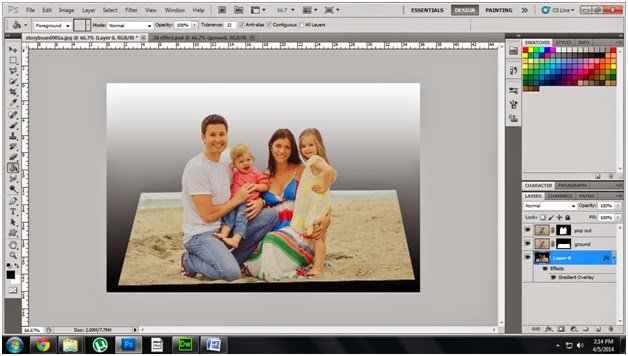
Step 13 : Select Popout layer and click add layer mask like
below diagram
below diagram
Step14 : Then your image displayed like this
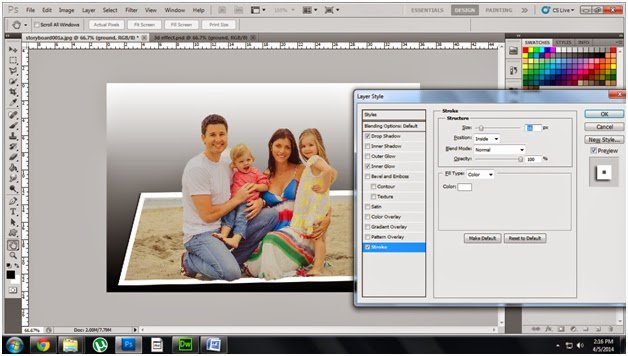
Step 15 : Select ground layer click add layer style button
check the drop shadow , inner glow, stroke and fix the size is 16px like below diagram.
check the drop shadow , inner glow, stroke and fix the size is 16px like below diagram.
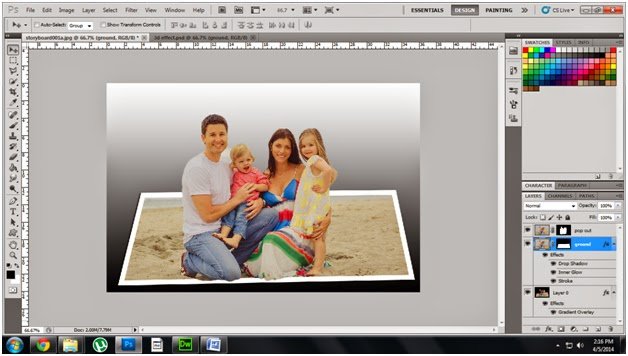
Step 16 : Finally your result look like this.
