

This article helps you to Enable and Disable (Activate and Deactivate) the Textbox with the help of option tag using javascript. This is one of the simple concept using javascript to deselect and select the text box using option tag.
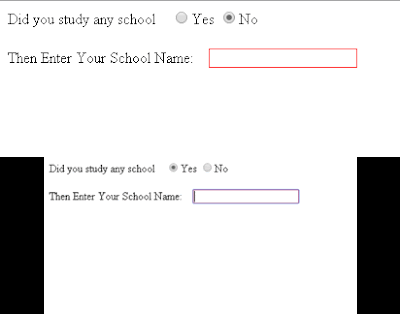

Javascript for Enable disable textbox
<script type=’text/javascript’>//<![CDATA[
$(window).load(function(){
$(function() {
window.invalidate_input = function() {
if ($(‘input[name=XIAlmnus]:checked’).val() == “Yes”)
$(‘#XIyop’).removeAttr(‘disabled’);
else
$(‘#XIyop’).attr(‘disabled’, ‘disabled’);
};
$(“input[name=XIAlmnus]”).change(invalidate_input);
invalidate_input();
});
});//]]>
$(window).load(function(){
$(function() {
window.invalidate_input = function() {
if ($(‘input[name=XIAlmnus]:checked’).val() == “Yes”)
$(‘#XIyop’).removeAttr(‘disabled’);
else
$(‘#XIyop’).attr(‘disabled’, ‘disabled’);
};
$(“input[name=XIAlmnus]”).change(invalidate_input);
invalidate_input();
});
});//]]>
</script>
Css for Enable disable textbox
input{
border:1px solid red;
}
border:1px solid red;
}
Html code for Enable disable textbox
<label>Did you study any school </label>   
<input type=’radio’ name=’XIAlmnus’ value=’Yes’ id=”XIyes”/>Yes
<input type=’radio’ name=’XIAlmnus’ value=’No’ id=”XIno”/>No</td>
<br /><br />
<label>Then Enter Your School Name: </label>   
<input type=”textbox” name=”XIyop” id=”XIyop” />
<input type=’radio’ name=’XIAlmnus’ value=’Yes’ id=”XIyes”/>Yes
<input type=’radio’ name=’XIAlmnus’ value=’No’ id=”XIno”/>No</td>
<br /><br />
<label>Then Enter Your School Name: </label>   
<input type=”textbox” name=”XIyop” id=”XIyop” />
