

Now a days WhatsApp is one of the important Messenger. Lot of peoples using WhatsApp Messenger so it is important to add whatsapp link to the website. Now will see how to add the whatsapp link to social media icon. when you add this link to site client directly will chat with your whatsapp number using your whatsapp number. Now we can see how to link this to website. Below is the code to link the whatsapp to website. You just use the code and link it to your website. Below code you can change your number from the below code.



Html code for whatsapp link
<html>
<head>
<title>How to create whatsapp link for website </title>
<link rel=”stylesheet” href=”https://cdnjs.cloudflare.com/ajax/libs/font-awesome/4.7.0/css/font-awesome.min.css”>
</head>
<body>
<head>
<title>How to create whatsapp link for website </title>
<link rel=”stylesheet” href=”https://cdnjs.cloudflare.com/ajax/libs/font-awesome/4.7.0/css/font-awesome.min.css”>
</head>
<body>
<i class=”fa fa-whatsapp” aria-hidden=”true”></i> <a class=”btn-fill btn-blue sanbg” href=”https://api.whatsapp.com/send?phone=your whatsappphonenumber&text=Hi there! I have a question :)”>Send Message</a>
</body>
</html>
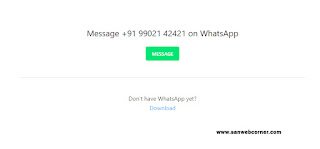
Screenshots


